
Affordable custom web development sounds like a contradiction, and many business owners assume they must choose between a cheap template and an expensive bespoke build. In reality, most of the cost in a custom website comes from a few decisions you can control. This guide explains where the money goes and how we deliver custom sites for less at Savoir Management, without cutting the parts that bring in customers.
Why do people think custom web design is expensive?
Because quotes often bundle strategy, original design, development, content, testing and support into one number, and because some projects pay for features and complexity they do not need. The price reflects scope, and scope can be shaped.

Labor is the biggest cost. The U.S. Bureau of Labor Statistics lists 2025 median pay for web developers and digital designers at $99,520 a year, or $47.85 an hour, before agency overhead. Every unique page design, custom feature and round of revisions adds hours. Reduce the hours that do not create value, and the price falls.
What actually makes a website "custom"?
A custom site is designed around your brand, audience and goals, with layouts and features chosen for your business. It can still use proven frameworks, components and platforms underneath, which is how custom becomes affordable.
Custom does not mean writing everything from scratch. The most efficient teams combine a mainstream platform, a library of tested components and custom design on top. You get a site that looks and works like yours, without paying to reinvent navigation menus, forms or blog layouts.
Do you need to spend big to look like a big brand?
No. Big brands look polished because of consistent typography, color, spacing, photography and clear messaging, not because of expensive features. Those qualities are affordable when planned well.
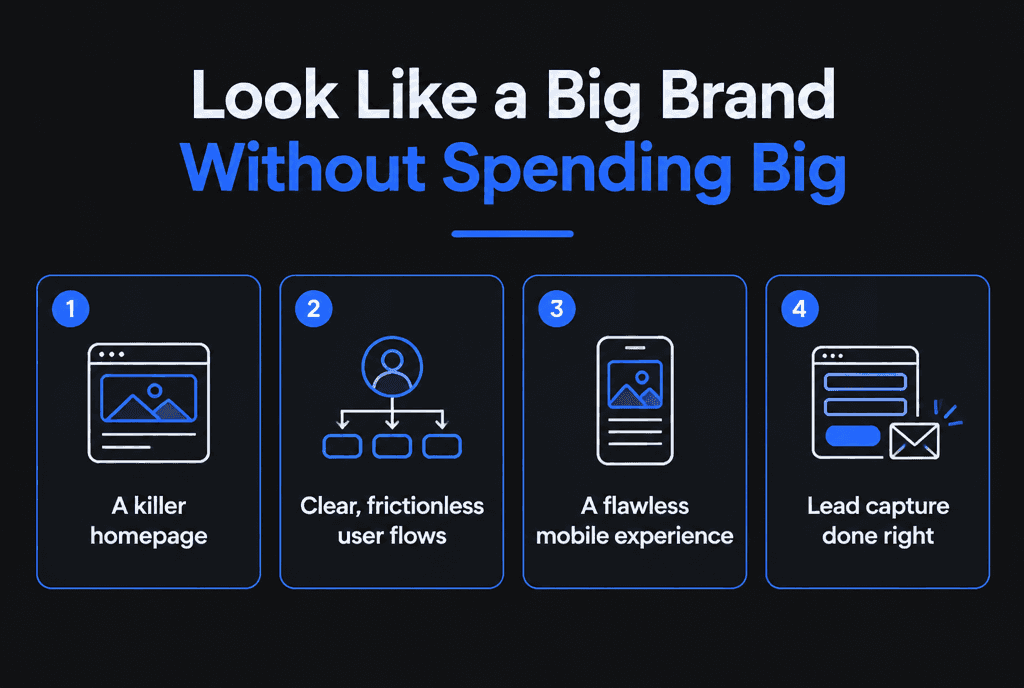
A simple design system, with a defined type scale, color palette, spacing rules and reusable components, gives a small site the same consistency as a large one. Invest in a few great photos of your team, work or products rather than dozens of generic stock images. Write headlines that say exactly what you do. Those choices cost little and change how professional the site feels.
What are the best ways to get more site for less money?
Define a tight scope, prepare your content, reuse layouts, choose a mainstream platform, phase advanced features, approve decisions quickly and ask for a fixed-scope quote.
Write a brief. Goals, audience, pages and must-have features on one page. Clear briefs prevent expensive changes later.
Prepare content. Copywriting and photo sourcing are often billed separately. Providing final copy and images saves money and time.
Limit unique templates. A site with 15 pages might need only 4 or 5 page designs: home, service, about, blog post and contact.
Use a mainstream platform. WordPress is free, open-source software and powers about 40% of all websites, according to W3Techs. Shopify handles hosting and checkout for stores. Both reduce custom development.
Phase features. Launch with what wins customers now; add portals, calculators or integrations later.
Consolidate feedback. One decision-maker and one round of combined comments per stage keeps revisions under control.
Choose fixed scope. A clearly scoped fixed price protects your budget better than open-ended hourly billing.
What should you never cut to save money?
Never cut mobile design, speed, accessibility, SEO foundations, security or conversion tracking. These decide whether the site produces leads, and fixing them later costs more than doing them right once.
Speed: pages that meet Core Web Vitals on mobile
Accessibility: design and code that follow WCAG
SEO: titles, headings, structured data, sitemap and clean URLs
Security: HTTPS, updated software and forms protected against the OWASP Top 10
Tracking: conversion events set up with Google Analytics before launch
Why is cheap not always cost-effective?
Very cheap sites often skip strategy, speed, accessibility and tracking. They launch, produce few leads and need a rebuild sooner. Affordable means good value for results, not the lowest price.

Compare total cost of ownership over three years: build, hosting, plugins or apps, maintenance and the likely need for a rebuild. Then estimate the leads each option is likely to produce. Our guide to cost-effective web development walks through that comparison.
How can you save on content and photography?
Write first drafts yourself, reuse existing material such as brochures and proposals, and invest in a short professional photo session rather than buying many stock images. Content is often the hidden budget item.
Your developer or copywriter can edit and structure your drafts far faster than writing from scratch, and your first-hand knowledge makes the copy more credible. A half-day photo shoot of your team, workplace and work in progress usually costs less than months of stock licenses and makes the site feel genuinely yours. Collect testimonials and reviews before the project starts, so they are ready to place next to calls to action.
How do you choose the right platform on a budget?
Use WordPress for content-led business sites, Shopify for stores and a site builder only for simple short-term sites. Choose custom code only for features no platform provides.
Each platform has ongoing costs: hosting and plugins for WordPress, monthly plans and apps for Shopify, subscriptions for builders. Factor those in. Our comparisons of Shopify vs WooCommerce and website builders vs web developers explain the trade-offs.
How should you phase features over time?
Release a focused first version that covers your main conversion path, then add features in planned phases based on real customer behavior and revenue.
A typical phased plan:
Phase 1: core pages, contact or booking, SEO foundations and tracking
Phase 2: case studies, location pages, resource articles and landing pages for campaigns
Phase 3: advanced features such as client portals, calculators, memberships or integrations
Phasing spreads cost, lets early revenue fund later work and ensures each feature is built for a proven need.
Which features give the best return on a small budget?
Clear service or product pages, a strong call to action on every page, reviews near decisions, fast mobile pages, simple forms or booking and conversion tracking deliver the most return per dollar. Flashy extras rarely do.
When budgets are tight, rank every proposed feature by one question: does it help a visitor decide to contact or buy from you? Features that usually earn their place:
A page per service or product category: each one can rank in search and answer specific questions
Visible proof: reviews, client logos, certifications and short case studies
Easy contact paths: tappable phone numbers, short forms and online booking where relevant
Location information: address, service areas and hours, plus LocalBusiness structured data for local businesses
Tracking: so you know which pages and channels produce customers
Features that can usually wait: complex animations, sliders, custom illustrations, large resource libraries, multi-language versions and member areas. None of them are bad, but they deliver less return per dollar in an early or budget-limited build.
How do maintenance plans affect affordability?
Maintenance is part of the real cost of a website. A modest monthly plan for updates, backups, security monitoring and small edits prevents expensive emergency fixes and keeps the site performing.
Unmaintained sites slow down, break after software updates and become security risks. Fixing a hacked or broken site often costs more than a year of maintenance. When comparing quotes, ask what ongoing support costs and what it includes:
Software, theme and plugin updates
Off-site backups with tested restores
Uptime and security monitoring
A set amount of content edits or small improvements each month
Periodic speed and SEO checks
A predictable monthly cost is easier to budget than surprise repair bills, and it keeps the website you paid for working as intended.
What does an affordable custom website cost?
Many small businesses get a professionally designed custom site for a few thousand to around $15,000. Larger sites, e-commerce stores with big catalogs and custom functionality cost more.
See our custom web development pricing breakdown and 2026 website cost estimates for more detail by project type.
What questions should you ask to keep costs predictable?
Ask what is included and excluded, how many revision rounds are covered, how changes are priced, who provides content, what ongoing costs to expect and who owns the finished site.
Clear answers up front prevent most budget surprises. Get them in writing as part of the proposal or contract, and keep a running list of "phase two" ideas instead of adding them mid-project.
How does Savoir Management deliver custom sites for less?
We use a proven component library, design custom layouts only where they add value, build on mainstream platforms, quote fixed scopes and include speed, SEO, accessibility and tracking as standard.
Our custom web development team and web development team build affordable custom sites for small businesses and growing brands. If you are just starting, read web development packages for startups.


