
E-commerce website development to increase sales is mostly about removing friction between interest and payment. Online shopping keeps growing: the Census Bureau reports e-commerce made up 16.4% of U.S. retail sales in Q2 2026, not seasonally adjusted. These eight upgrades are the ones we prioritize for online stores at Savoir Management.
Why do online stores lose sales they already earned?
Most lost sales happen after shoppers show interest: in product pages that leave questions unanswered and in checkouts that add surprise costs or steps. Baymard Institute's research puts the average documented cart abandonment rate at 70.22%.
See Baymard's cart abandonment research for the reasons shoppers give, from extra costs to forced account creation.
Upgrade 1: Why should you redesign the checkout first?
Checkout fixes recover revenue from people who already decided to buy. Offer guest checkout, show all costs early, add wallet payments and remove unnecessary fields.
Guest checkout by default
Shipping costs shown on product and cart pages
Apple Pay, Google Pay and PayPal options
Address autocomplete and fewer form fields
Upgrade 2: Is your store truly mobile-first?
Design product listing, product and checkout pages for thumbs first: large tap targets, sticky add-to-cart, fast images and wallet payments. Most store traffic comes from phones.
Pew Research Center reports 91% of U.S. adults own a smartphone. Our mobile-responsive development guide covers the details.

Upgrade 3: How much does speed matter for stores?
Shoppers abandon slow pages, especially on mobile. Optimize images, limit apps and scripts, and meet Core Web Vitals targets on product and collection pages, not just the homepage.
Targets from web.dev: LCP within 2.5 seconds, INP of 200 milliseconds or less and CLS of 0.1 or less. See our site speed guide.
Upgrade 4: Which integrations and smart tools pay off?
Email and SMS automation for abandoned carts and post-purchase flows, inventory sync, reviews platforms and analytics with e-commerce events pay off fastest.
Track view_item, add_to_cart, begin_checkout and purchase with Google Analytics recommended events to see exactly where shoppers drop off.

Upgrade 5: What makes a product page convert?
Great product pages answer every buying question: multiple photos and video, clear price and variants, delivery dates, returns policy, size or fit guidance, reviews and related products.
Place reviews and shipping information near the add-to-cart button, and show stock and delivery estimates honestly.
Upgrade 6: Which conversion-boosting features work?
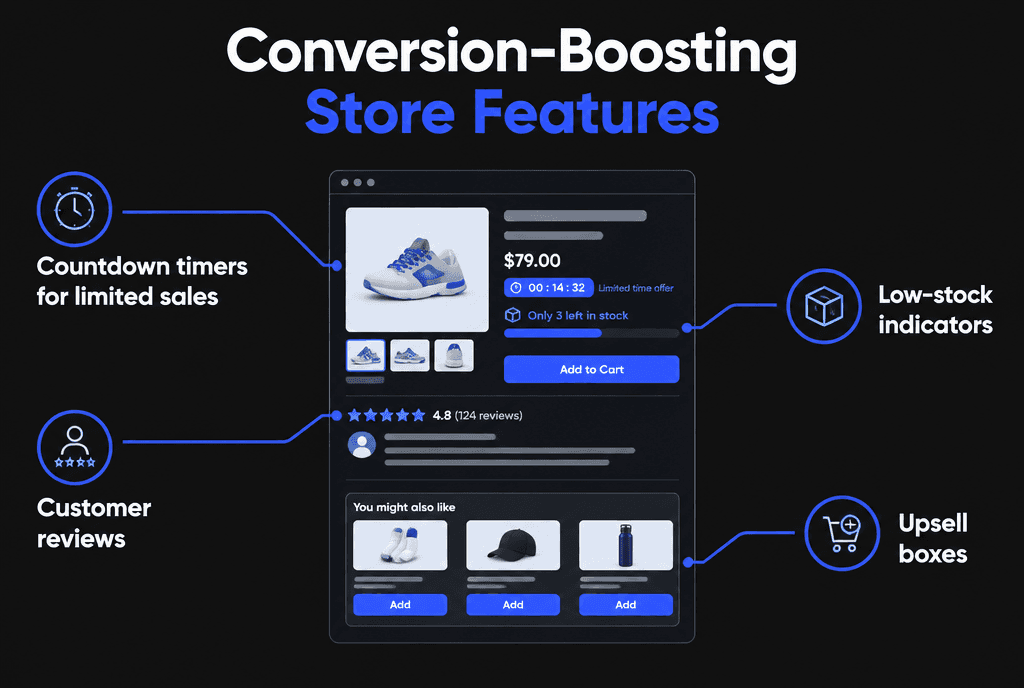
Honest urgency and proof features work: real countdowns for sales, accurate low-stock messages, customer reviews and relevant upsells or bundles. Fake urgency backfires.
Upgrade 7: How do structured data and feeds increase visibility?
Product structured data and a Google Merchant Center feed give Google accurate price, availability and review information, making products eligible for richer search results and Shopping placements.
Follow Google's guides to product structured data, e-commerce SEO best practices and the Merchant Center product data specification.
Upgrade 8: Why does accessibility matter for online stores?
Accessible stores let every shopper browse and pay, including people using screen readers or keyboards, and reduce legal risk. Labeled forms, alt text, contrast and keyboard-friendly checkout are the essentials.
Use WCAG as the standard, and read our guide to ADA-compliant web development.

How do you decide which upgrade to do first?
Measure the funnel, then fix the biggest drop-off with the least effort. For most stores that means checkout and mobile speed before redesigning the homepage.
If you are choosing a platform, read Shopify vs WooCommerce. For launching a new store fast, see how to build an e-commerce website that converts. Drive traffic with Meta ads for e-commerce, and let our Shopify development team handle the build.


