
ADA-compliant web development is no longer a niche concern. Accessibility lawsuits, updated federal rules and customer expectations all point the same way: websites must work for people with disabilities. This guide explains what the law and guidance say as of 2026, what WCAG requires, and how we build accessible sites at Savoir Management. It is general information, not legal advice.
How does the ADA apply to websites?
The Department of Justice says the ADA requires businesses open to the public, and state and local governments, to make their websites accessible to people with disabilities. Businesses have flexibility in how they comply, and WCAG is the recommended technical reference.
DOJ's guidance on web accessibility and the ADA explains that there is no detailed regulation for private businesses, but existing standards such as WCAG and the Section 508 Standards provide helpful guidance.
What changed for state and local governments?
The DOJ's Title II rule adopts WCAG 2.1 Level AA for state and local government web content and mobile apps. After an April 2026 extension, entities serving 50,000 or more people must comply by April 26, 2027, and smaller entities by April 26, 2028.
See the DOJ's fact sheet on the web and mobile app rule. Vendors that build sites for public entities should design to WCAG 2.1 AA now.
What does WCAG require?
WCAG organizes requirements under four principles: content must be perceivable, operable, understandable and robust. Level AA covers the success criteria most organizations target, from text alternatives and contrast to keyboard access and clear forms.
Read the W3C's WCAG overview and use the WCAG Quick Reference during design and development.
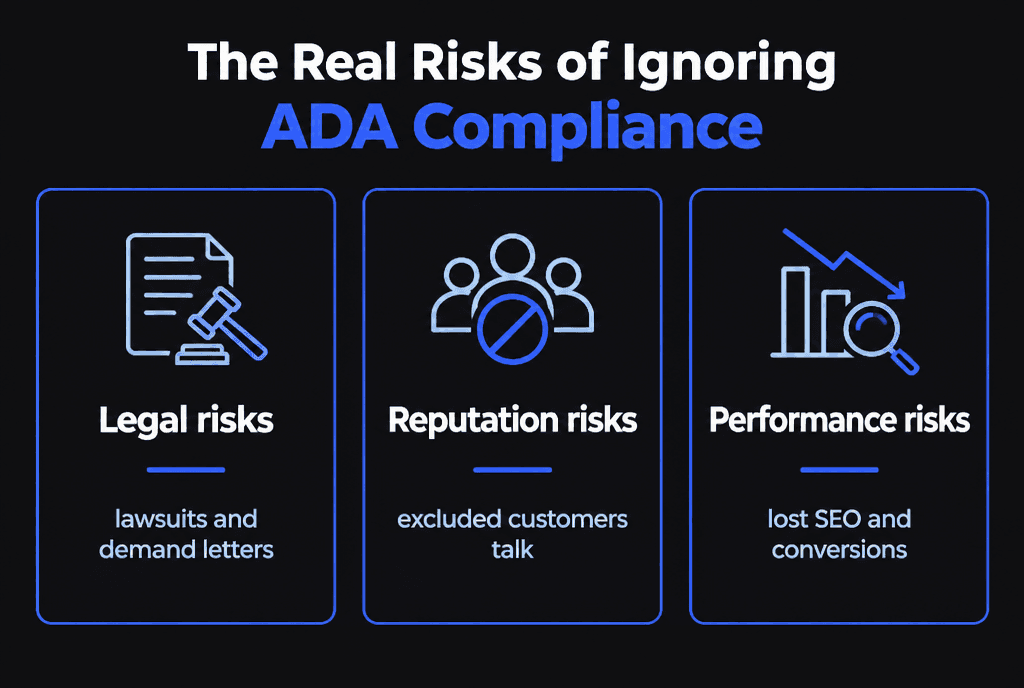
What are the real risks of ignoring accessibility?
Legal, reputational and performance risks. Inaccessible sites invite demand letters and lawsuits, exclude real customers and often have the same structural problems that hurt SEO and usability.
Why do businesses keep missing the mark?
Most failures come from treating accessibility as a final checklist instead of a design and development requirement, relying on overlays, and adding new content without accessible practices.

The most common failures we find:
Images without meaningful alt text
Low color contrast for text and buttons
Forms without labels or clear error messages
Menus and modals that trap keyboard users
Videos without captions
Headings used for styling instead of structure
How do you build an accessible website?
Plan accessibility from the first wireframe: semantic HTML, sufficient contrast, keyboard support, labeled forms, captions and descriptive links. Then test with automated tools, keyboard-only navigation and screen readers before launch.
Design with accessible color and type choices.
Build with semantic HTML and ARIA only where needed.
Write meaningful alt text and descriptive link text.
Caption and transcribe media.
Test with keyboard and screen readers.
Train content editors so new pages stay accessible.
The W3C's introduction to web accessibility explains who benefits and why.
Do accessibility overlays solve the problem?
No. Overlay widgets can adjust some display settings, but they cannot reliably fix inaccessible code, forms, media or document structure. Fix the site itself and use tools only as aids.
Why does accessibility matter beyond compliance?
Accessible sites are easier for everyone to use, work better on mobile and often perform better in search because of clean structure, descriptive text and fast, stable pages.
Accessibility overlaps with good UX and SEO. Read our guides to UX-driven web development and SEO-optimized web development. Healthcare and legal sites face extra scrutiny; see healthcare websites and law firm websites.
What is the difference between WCAG 2.1 and 2.2?
WCAG 2.2 builds on 2.1 and adds new success criteria, mainly around focus visibility, target size, dragging movements, consistent help and accessible authentication. Meeting 2.2 Level AA also covers 2.1 Level AA, except for one criterion that 2.2 removed as obsolete.
The DOJ's Title II rule references WCAG 2.1 Level AA. Many organizations now target 2.2 AA to future-proof their sites. The W3C's WCAG overview explains the versions, and the quick reference lets you filter criteria by version and level.
Which accessibility issues should you fix first?
Fix barriers on key user journeys first: navigation, forms, checkout or booking, and contact. Missing form labels, keyboard traps, low contrast and missing alt text on important images usually come first.
Prioritize by impact and frequency. A missing label on a contact form blocks screen reader users from reaching you at all, while a decorative image without alt text is minor. Work through templates rather than individual pages, because fixing a header or form component fixes every page that uses it.
How do you test accessibility?
Combine automated scans, manual keyboard testing, screen reader checks and, where possible, testing with people who use assistive technology. Automated tools find only part of the issues.
Automated tools such as WAVE quickly flag missing alt text, contrast problems and structural errors. Then test manually:
Navigate every page using only the Tab, Shift+Tab, Enter and arrow keys
Check that focus is always visible and moves in a logical order
Use a screen reader on key pages and forms
Zoom to 200% and check that content reflows without loss
Review captions and transcripts for video and audio
How should accessibility be documented?
Publish an accessibility statement that describes your commitment, the standard you aim for, known limitations and how users can report problems or request help. Keep an internal log of audits and fixes.
An accessibility statement shows good faith and gives users a way to reach you when something does not work. Respond to reports promptly and record what you changed. Internal documentation of audits, fixes and training demonstrates ongoing effort.
How do you keep a site accessible over time?
Train content editors, include accessibility checks in design and development workflows, audit regularly and test new features before release. Accessibility decays when new content and features skip these steps.
Editors need to know how to write alt text, use headings correctly, create descriptive links and caption videos. Designers should check contrast and focus states in mockups. Developers should include accessibility in code reviews and automated tests. Schedule a full audit at least yearly and after major redesigns.
Do PDFs and documents need to be accessible?
Yes. PDFs, forms and documents linked from your site should be accessible, or offered in an accessible alternative such as an HTML page. Scanned image PDFs are especially problematic.
Where possible, publish important information as web pages rather than PDFs. For necessary documents, use tagged PDFs with correct reading order, headings and alt text, and test them with a screen reader.
How does accessibility affect SEO and conversions?
Many accessibility practices also improve SEO and conversions: descriptive headings, alt text, clear link text, readable content, captions and fast, well-structured pages help search engines and all users.
Accessible forms are easier for everyone to complete, captions help people watching without sound and clear structure helps people scan. Our guides to UX-driven web development and conversion-focused web development explain the overlap.
What does accessibility remediation cost?
Costs depend on site size, the number of templates and the severity of issues. Fixing shared components is efficient; sites with many inaccessible custom features or documents cost more. A rebuild may be cheaper for very old sites.
Start with an audit to estimate scope, then fix high-impact issues on key journeys first. Building accessibility into a new site from the beginning is far cheaper than retrofitting later.
How do you get an accessible website built or fixed?
Start with an audit against WCAG 2.1 or 2.2 AA, prioritize barriers on key user journeys, fix them in code and content, and set up ongoing checks for new content.
Our web development team audits and builds accessible sites.


