
Membership site development looks simple from the outside: put content behind a login and charge monthly. In practice, revenue depends on whether members keep finding value month after month. This guide covers the decisions that make membership sites grow and retain, based on the platforms we build at Savoir Management.
What makes a membership site successful?
A clear promise of ongoing value, an easy join flow, reliable billing, onboarding that delivers a quick win, a steady rhythm of new value and a community or progress system that keeps members engaged.
Read about subscription models more broadly in our guide to recurring revenue platforms.
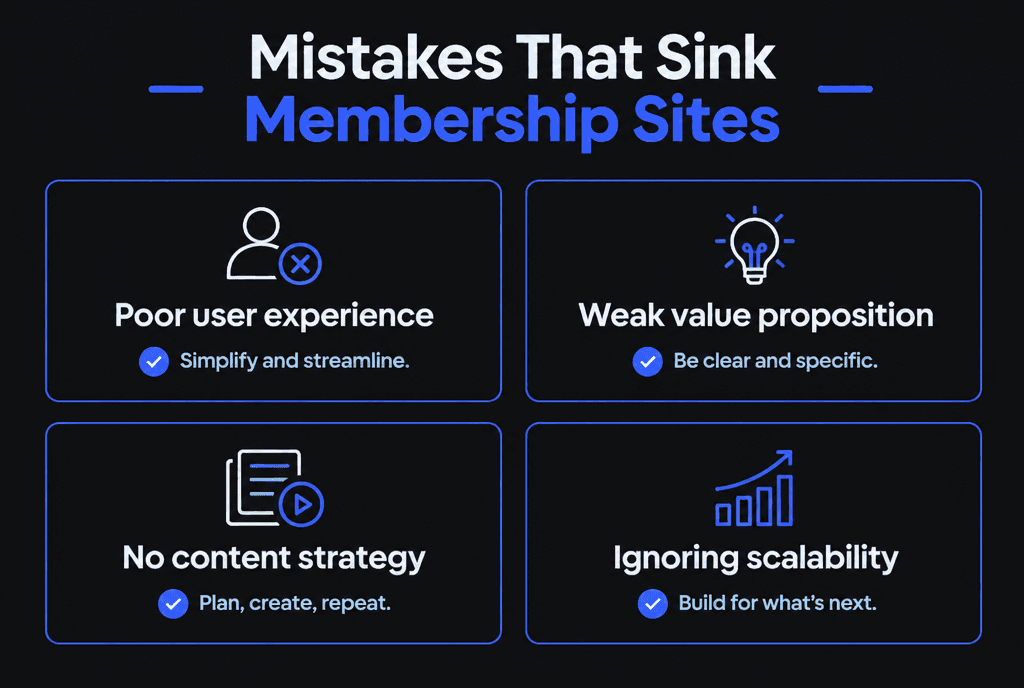
Which mistakes sink membership sites?
Poor user experience, a weak value proposition, no content strategy and ignoring scalability are the four mistakes we see most often.
Which membership model should you choose?
Choose the model that matches how members get value: content libraries for learning, communities for connection, courses for structured results, or tools and resources for ongoing use. Many sites combine two.
Content library: articles, videos and templates updated regularly
Community: forums, live calls and member directories
Course-based: structured programs with progress tracking
Tools and resources: software, calculators or data access
How should billing and accounts work?
Use a proven billing system for monthly and annual plans, trials, upgrades and failed-payment recovery, and give members a self-service portal to manage their plan and payment method.
Stripe documents how subscriptions work, revenue recovery and a hosted customer portal. Show renewal terms clearly at checkout; the FTC regulates negative option offers, as described on its Negative Option Rule page.
How should onboarding work for new members?
Welcome new members with a short guided path to one meaningful result in their first session, such as finishing a lesson or joining an intro call. Early wins are the strongest predictor of staying.
How does web development turn strategy into reality?
Development makes the strategy usable: fast members areas, reliable video, clear navigation, progress tracking, search across content, mobile access and secure logins.

Meet Core Web Vitals targets inside the members area, not just on public pages.
Add captions and accessible players, following WCAG guidance.
Protect logins and content against the OWASP Top 10 risks.
How do you keep members engaged?
Publish on a predictable schedule, host live sessions, highlight member wins, send progress reminders and offer pause or downgrade options instead of only "cancel."
Track engagement with Google Analytics recommended events such as login and tutorial completion, and act on drops in activity before members cancel.
How should free content support a membership?
Free articles and videos attract search traffic and show your quality. Link them to the membership's benefits and offer a free trial or starter tier to convert readers.
Our guide to blog website development for monetization covers content that converts.
Which platform should a membership site use?
WordPress with a membership plugin suits many creators and small businesses, hosted membership platforms launch fastest, and custom builds suit large communities or unusual features. Choose based on content type, community needs, integrations and who will maintain it.
Questions that guide the choice:
Will members mainly consume content, take courses, join a community or use tools?
Do you need tiered access, drip content, certificates or live events?
Which payment, email and CRM tools must connect?
Who will manage updates, security and support?
Hosted platforms handle hosting and security but limit design and data control. WordPress offers flexibility and ownership but needs maintenance. Custom development gives full control at higher cost. Many successful membership businesses start hosted and move to a custom or WordPress setup as they grow.
How should content be gated?
Protect members-only content with server-side access control, so it is only delivered to logged-in members with the right plan. Keep a clear preview of what members get, so visitors understand the value before joining.
Hiding content with front-end tricks is not enough; anyone can bypass it. Use your platform's access rules for pages, videos and downloads, host videos with access-controlled players and avoid exposing direct file links. Public preview pages, sample lessons and outlines show quality while keeping the full library for members.
How should pricing and tiers work?
Offer monthly and annual plans, with a discount for annual, and limit tiers to two or three clearly different levels. Explain exactly what each tier includes and how to upgrade.
Annual plans improve cash flow and retention. A basic tier for content access and a premium tier with community, live calls or personal feedback is a common structure. Founding-member pricing for early joiners can build momentum at launch, as long as you are clear about whether the price is locked in.
How do you build community without overwhelming members?
Start with one focused space and a regular rhythm, such as weekly discussion prompts or monthly live calls, and seed conversations yourself until members take over. Small, active communities beat large, quiet ones.
Welcome new members personally, introduce them to a first discussion and highlight member wins. Set clear community guidelines and moderate consistently. Avoid launching many channels at once; empty spaces make communities feel inactive.
How do you measure membership health?
Track new members, churn rate, active members, engagement such as logins and content completions, revenue per member and the reasons people cancel. Engagement drops usually come before cancellations.
Set up events for logins, lesson completions and community participation using Google Analytics recommended events or your platform's reports. Identify members who have not logged in recently and reach out with helpful content or an invitation to a live session before they decide to leave.
How do you launch a membership site?
Build a waitlist before launch, invite a founding group at a special price, gather their feedback in the first months and use their results and testimonials to market the public launch.
A founding cohort gives you early revenue, real usage data and stories to share. Keep the first version focused on the core value, and add features based on what members actually use and ask for.
What legal and policy pages does a membership site need?
Clear terms of membership, renewal and cancellation terms, refund policy, privacy policy and community guidelines. Members should understand what they are paying for and how to leave.
The FTC's Negative Option Rule page explains rules for automatic renewal offers. Show renewal terms before checkout and in confirmation emails, and make cancellation straightforward through a customer portal or account settings.
How do you keep a membership site fast and secure?
Use quality hosting, optimize video and images, limit heavy plugins, keep software updated, enforce strong passwords and offer two-factor authentication for admin accounts.
Members notice slow dashboards and broken logins immediately. Test the members area against Core Web Vitals, not just public pages, and protect logins and payment flows against the OWASP Top 10 risks.
How do you market a membership site?
Publish free content that shows your expertise, offer a lead magnet that leads naturally into membership, use email to nurture subscribers and open enrollment with clear benefits, proof and a deadline when it helps.
Search-friendly articles and videos bring new visitors, a focused free resource turns them into subscribers, and a short email sequence explains what members get and why it matters. Member success stories are the most persuasive marketing you have, so collect them from the start. Some membership businesses keep doors open year-round; others open enrollment periodically to create urgency and onboard members in cohorts. Test which suits your audience. Our guide to blog website development for monetization explains how content can feed membership growth.
How do you get a membership site built?
Define the promise and model, choose platform and billing, design onboarding and the members area, then launch to a founding group and refine from their usage.
Our web development team builds membership sites on WordPress and custom stacks. Coaches should also read web development for online coaches.