Portfolio website development for freelancers is about one outcome: turning visitors into clients. A portfolio that only shows pretty work leaves prospects guessing whether you can solve their problem. One that explains the work, loads fast and makes hiring easy does the selling for you. Here is how we approach portfolio sites at Savoir Management.
Why does a freelancer need a professional portfolio site?
A portfolio site is your storefront, proof of skill and sales page in one. It gives prospects from referrals, social media and search a credible place to evaluate you and contact you on your terms, without platform fees.
Marketplace profiles help, but you do not own them. Your own site builds a brand that compounds.
What are the common challenges in building a portfolio site?
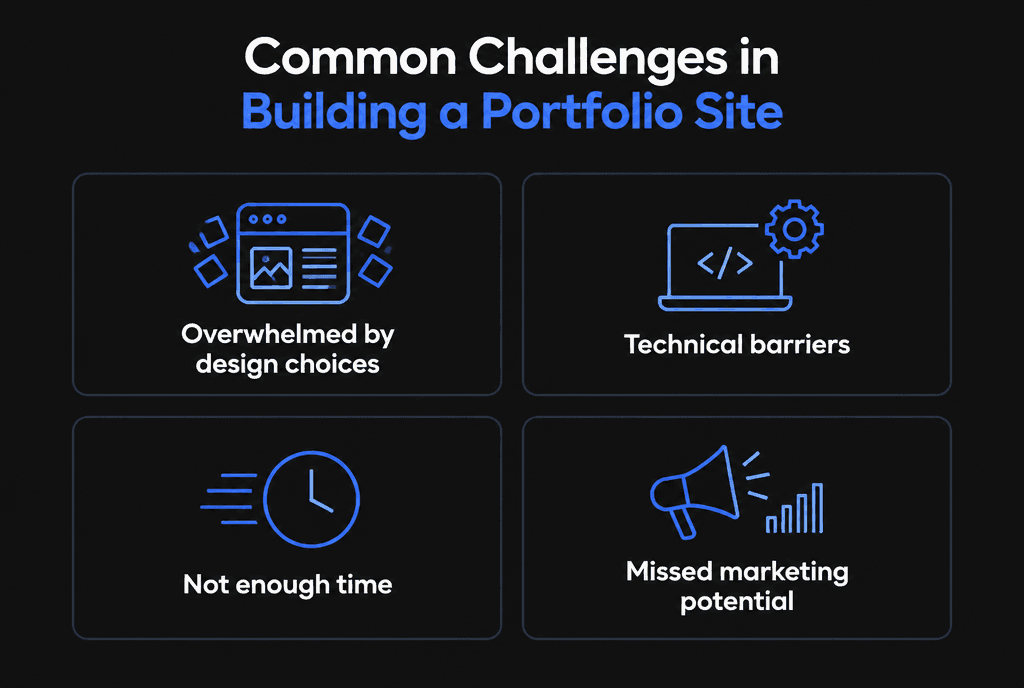
Freelancers usually struggle with too many design choices, technical setup, limited time and missing marketing features such as SEO and lead capture.
How should a portfolio site be structured?
Keep it simple: a homepage that states who you help and shows best work, a work section of case studies, a services page, an about page and a contact or booking page.
Homepage: one-line positioning, three to six featured projects, testimonial, call to action.
Case studies: one page per major project.
Services: what you offer, who it is for, starting prices or ranges.
About: your story, process and credentials.
Contact: short form or booking link.
How do you turn projects into case studies that sell?
Present each project as problem, process and result: what the client needed, how you approached it and what changed. Results and context persuade clients more than images alone.
Client type and goal
Constraints and decisions you made
Visuals of the outcome
Measurable results or a client quote
A link to related services
How do you keep image-heavy portfolios fast?
Serve responsive image sizes, use modern formats, lazy-load images below the fold and avoid oversized sliders. Portfolios are image-heavy, so performance decides whether visitors stay.
Use responsive images and browser-level lazy loading. Aim for Largest Contentful Paint within 2.5 seconds, the Core Web Vitals target.
How can a portfolio rank in search?
Target your service plus a niche or location, write real case-study text around images, use descriptive alt text and filenames, and add structured data where it applies.
Follow Google's image SEO best practices. If you have an about or profile page, Google supports ProfilePage structured data for pages focused on a person or creator.
What strategies make the build hassle-free?
Gather your best projects and testimonials first, write short case-study notes, choose a platform you can update yourself and launch a focused version before adding extras.

Pick your top projects and collect results.
Draft positioning: "I design brand identities for food and beverage startups."
Choose template versus custom.
Launch with core pages, then add a blog or booking later.
Should you use a template or hire a developer?
Use a template when you are starting out and need to launch fast. Hire a developer when you want a distinctive brand, better speed and SEO, case-study templates, booking or client portals.
Compare options in our guides on professional web development versus DIY and website builders versus web developers. For cost, see affordable custom web development.
How do you get more clients from your portfolio?
Put a call to action on every page, add testimonials near it, track inquiries in analytics and update the portfolio with new case studies every quarter.
Accessible design helps every visitor; follow WCAG basics for contrast, labels and keyboard use. Our web development team builds portfolio sites for designers, photographers, developers and consultants. Consultants should also read our guide to websites for consultants.