
Google Ads for local businesses works differently from national campaigns. You are not trying to reach everyone, only people close enough to visit, call or book. That changes how you target, what you bid on and how you measure success. Here is the local playbook we use for shops, clinics and service businesses at Savoir Management.
Why should local businesses use Google Ads?
Local searches often come from people ready to act, such as "emergency plumber near me" or "dentist open Saturday." Google Ads puts your business at the top of those results immediately, while organic local rankings take months to build.
Ads also give you control over where and when you show, so you only pay for clicks from your service area during hours you can respond.
How do you target your neighborhood with precision?
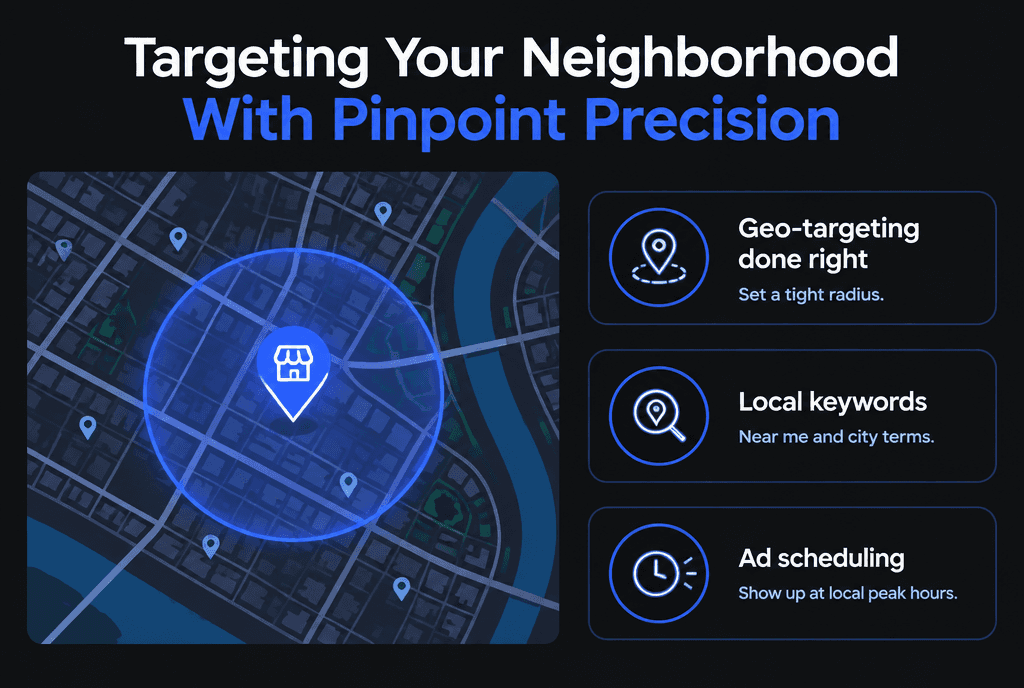
Target a radius or list of cities and ZIP codes that matches your real service area, choose "presence" targeting so ads reach people in or regularly in those places, and adjust bids for the closest areas.
Google explains the options in About targeting geographic locations. For local campaigns:
Use a radius of 5 to 15 miles for shops and clinics, wider for mobile services.
Exclude areas you do not serve.
Raise bids for the nearest neighborhoods if they convert better.
Which keywords work best for local businesses?
The best local keywords combine your service with a place or proximity: "roof repair Austin," "pediatric dentist near me," "dog groomer in Brooklyn." These searches show both need and location.
Use phrase and exact match for service + city terms.
Include neighborhood names and nearby landmarks.
Add negatives for jobs, training, DIY and locations you do not serve.
Which ad assets matter most for local ads?
Location and call assets matter most. Location assets show your address, distance and directions from your Google Business Profile, and call assets let mobile searchers call with one tap.
Set up location assets and call assets, and add sitelinks for your main services and booking page. See Google's overview of assets.
How does your Google Business Profile affect local ads?
Your Business Profile powers location assets and supports your visibility in Maps and the local pack. Google ranks local results mainly on relevance, distance and prominence, so a complete, accurate profile helps both paid and organic results.
Read Google's tips to improve your local ranking and follow the guidelines for representing your business. Keep hours, categories, photos and reviews current.
How should a local business budget for Google Ads?
Start with $15 to $50 per day focused on your top two or three services, measure cost per call or booking, and raise the budget only on campaigns that hit your target. A small, focused budget beats a large, scattered one.

A simple local budget formula:
Average job value: $400
Target cost per customer: $80
Close rate on calls: 40%, so a target cost per call of $32
Daily budget for about three calls a day: roughly $100, or start at $50 and grow
When should you schedule local ads?
Run ads when you can answer the phone or accept bookings, and raise bids during your busiest hours. Calls that go to voicemail waste money.
Use ad scheduling to match staffed hours, or run 24/7 only if you offer emergency service or online booking.
Should local businesses use Local Services Ads?
If your category is eligible, yes. Local Services Ads charge per lead instead of per click and appear above regular search ads with a verification badge, which builds trust with local searchers.
Run them alongside Search campaigns and compare cost per booked job.
What pitfalls drain local advertising budgets?
The common pitfalls are targeting too wide an area, bidding on generic national keywords, sending clicks to a homepage, ignoring calls as conversions and running ads when nobody answers.
Targeting the whole state for a one-location shop
Using "presence or interest" so people outside your area see ads
No call tracking
No mobile-friendly landing page

How do you own your neighborhood with Google Ads?
Combine tight targeting, local keywords, strong assets, an accurate Business Profile and a fast local landing page, then improve weekly. Over time, ads, reviews and organic rankings reinforce each other.
Your website plays a big role too. Read our guide to web development for local SEO and what to know before hiring a local web developer. For costs, see how to lower Google Ads CPC, and for a broader comparison, Bing Ads vs Google Ads. Our Google Ads team manages local campaigns end to end.


