
A Google Ads strategy for conversions is less about clever tricks than about fixing the basics in the right order. Accounts usually fail for the same reasons: tracking that counts the wrong things, targeting that is too broad, ads that do not match searches and landing pages that do not match ads. This is the 30-day plan we use at Savoir Management to turn those accounts around.
Why do most Google Ads campaigns fail to convert?
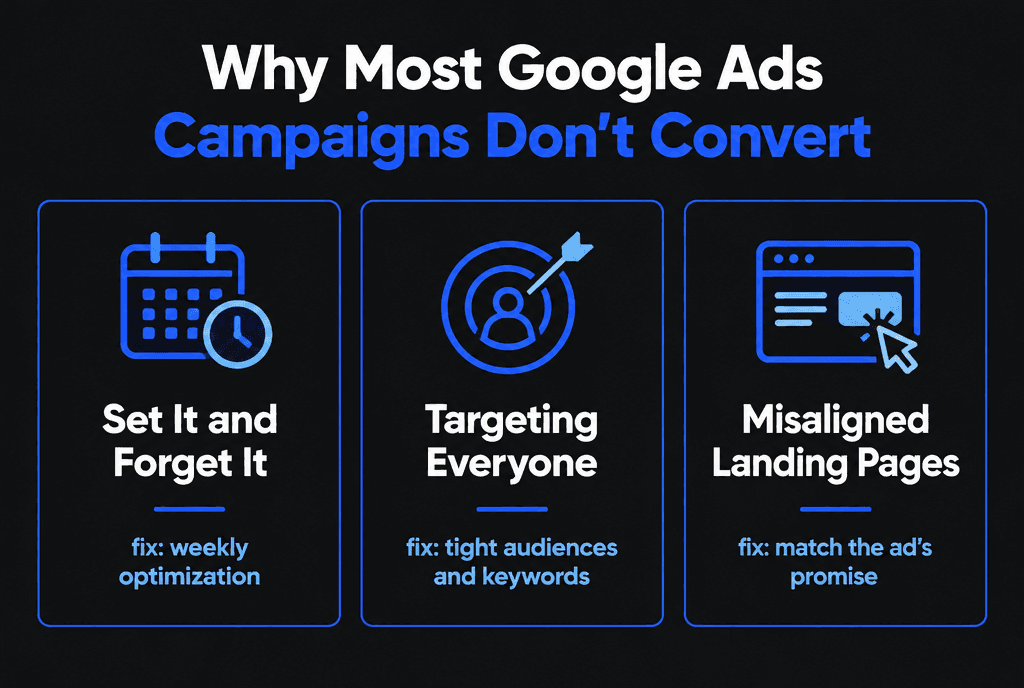
Most campaigns fail because they are set up once and left alone, target everyone instead of buyers, and send traffic to pages that do not match the ad. Each problem raises cost per conversion on its own; together they make an account unprofitable.
Week 1: How do you fix conversion tracking?
Track only the actions that create revenue, such as qualified leads, booked calls and purchases, and make sure each is counted once. Smart bidding optimizes toward whatever you mark as a conversion, so bad tracking guarantees bad results.
Review every conversion action in Google Ads. Set micro-actions like page views to "secondary."
Use Google's conversion tracking options for website forms, calls and purchases.
If you use Google Analytics, import key events into Google Ads instead of duplicating tags.
Set a minimum call duration so short or accidental calls do not count.
Week 1: What should the account audit check?
Audit search terms, keywords with spend and no conversions, ad group themes, device and location performance, and landing pages. The goal is a list of leaks to fix before spending more.
Pull the last 90 days and sort by cost. Usually a handful of keywords and search terms account for most of the waste.
Week 2: How should you tighten targeting?
Keep keywords that show buying intent, group them into tight themes, use phrase and exact match, and add negatives for anything that signals research, jobs or free alternatives.
Review match types and move high-spend broad keywords to phrase or exact.
Add negative keywords from the search terms report.
Narrow locations and schedules to where and when you can serve customers.
Week 2: How do you build ads that demand clicks?
Write responsive search ads that repeat the searcher's words, state a specific benefit and give a reason to act now. Add sitelinks, callouts and call assets to take up more space and answer questions before the click.
Responsive search ads mix and match your headlines and descriptions. Include:
The core keyword in at least two headlines
A concrete benefit or result
Proof such as reviews, years in business or guarantees
A clear call to action

Week 3: How should landing pages support conversions?
Each ad group should send traffic to a page that matches its promise, loads quickly, and offers one clear next step. Generic homepages force visitors to search again, and most will not.
Landing page experience also affects Quality Score, which lowers costs. Our landing page development guide and conversion-focused web development guide explain how to build these pages.
Week 4: When should you switch to smart bidding?
Switch to conversion-based bidding once tracking is accurate and the campaign records conversions consistently. Start with Maximize Conversions, then set a Target CPA or Target ROAS once you know your acceptable cost.
Google's guide to choosing a bid strategy matches strategies to goals. Read the details of Target CPA and Smart Bidding before switching, and avoid major changes during the learning period.

Week 4: How does remarketing add conversions?
Remarketing shows ads to people who visited your site but did not convert. These visitors already know you, so remarketing often produces the lowest cost per conversion in the account.
Build data segments of visitors, form starters and cart abandoners, and serve them proof-focused ads and a clear offer.
How do you keep scaling without burning your budget?
Scale campaigns that hit your target cost per conversion by raising budgets gradually, expanding into closely related keywords and adding new ad variations. Keep reviewing search terms weekly, because new spend finds new waste.
Raise budgets about 20 to 30% at a time.
Expand only into keywords that match your best converters.
Keep a weekly routine: search terms, negatives, ad tests and landing page checks.
For cost control, see how to lower Google Ads CPC. Starting from scratch? Follow how to launch a profitable Google Ads campaign. Our Google Ads team can run this 30-day plan on your account.